
Naming
Understand the Unity naming contract
Use semantic prefixes, component states, 9-slice suffixes, and optional layout metadata consistently.
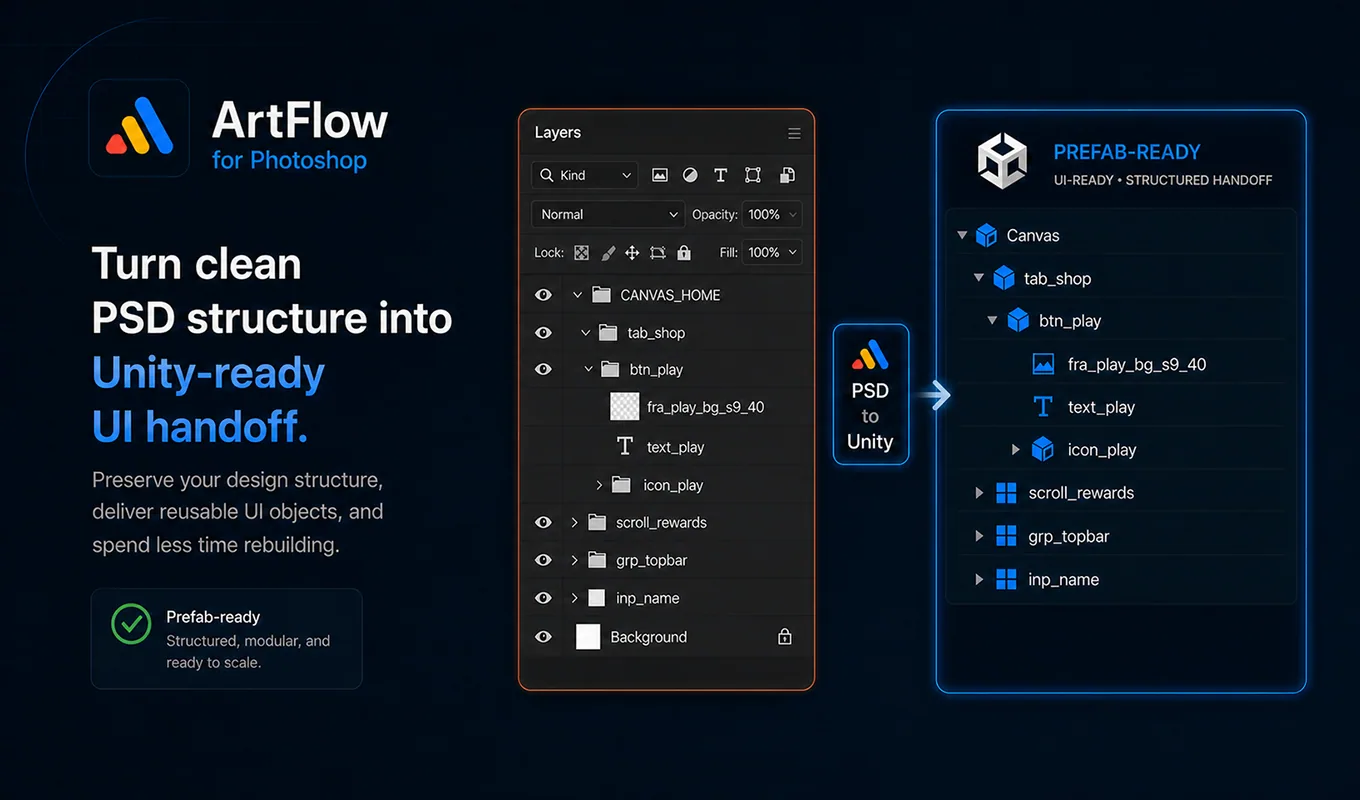
The naming model
ArtFlow names UI elements in this order:
role_purpose_stateNames are lowercase snake_case. The prefix is always first because it describes how the element should be interpreted. Use btn_close, not close_button.
Built-in prefixes
| Prefix | Intended role |
|---|---|
btn_ |
Clickable button or control |
ic_ |
Non-clickable icon or visual indicator |
fra_ |
Frame, panel, card, or container sprite |
text_ |
Text or label |
bg_ |
Large background |
pop_ |
Popup or modal root |
bar_ |
Progress or fill bar |
badge_ |
Badge or counter |
tab_ |
Tab root |
scroll_ |
ScrollRect root |
tgl_ |
Toggle root |
sld_ |
Slider root |
inp_ |
Input field root |
Choose the role represented by the layer, not merely its shape. An icon inside a button is still ic_; the parent interactive group is btn_.
Component states
State suffixes describe visual alternatives:
_normal
_highlighted
_hover
_pressed
_selected
_active
_disabled
_on
_off
_locked
Use a state only when the PSD contains that actual visual state. Do not add _pressed because a developer might need it later.
Component examples
Button
btn_play
  fra_play_bg_s9_40
  ic_play
  text_play
Toggle
tgl_music
  fra_music_bg
  ic_music_on
  ic_music_off
Slider
sld_volume
  fra_volume_bg
  bar_volume_fill
  ic_volume_handle
Input
inp_player_name
  fra_player_name_bg
  text_player_name
  text_player_name_placeholder
Scroll view
scroll_shop
  fra_shop_viewport
  content_shop
9-slice suffixes
Add _s9 to a frame sprite that should use Unity sliced image mode:
fra_panel_s9
fra_panel_s9_24
fra_panel_s9_24_32
A single number applies one PSD-pixel border value. Two numbers represent horizontal and vertical border values. Use a value that preserves corners and decorative edges.
Optional layout metadata
ArtFlow normally infers anchors from PSD geometry. Add metadata only when the inferred result cannot express the intended responsive behavior.
btn_settings@anchor=top-left
fra_coin_counter@anchor=top-right
bg_main@stretch=full
fra_bottom_nav_bg@stretch=h-bottom
Do not put both @anchor=... and @stretch=... on one layer. Metadata is removed from the Unity GameObject and sprite filename; it exists only to guide layout reconstruction.
What weak names do
Weak names no longer have to block every layout export. ArtFlow can create export-only fallback names such as img_auto_001, grp_auto_001, or text_auto_001 without renaming the PSD.
Fallback names preserve layout, but they do not describe behavior. A passive auto-named object will not become a button, toggle, slider, tab, scroll view, fill bar, or sliced image. Name behavior-critical elements before handoff.
Team profiles
The built-in contract is the default profile. A studio convention may replace its tokens while preserving the same roles. Keep one active profile per project, record its version, and do not mix conventions inside one export set.