Product capabilities

A connected toolkit for production work.

Use one workflow or connect the whole chain: clean names, structured handoff, repeatable output.

01 / Handoff

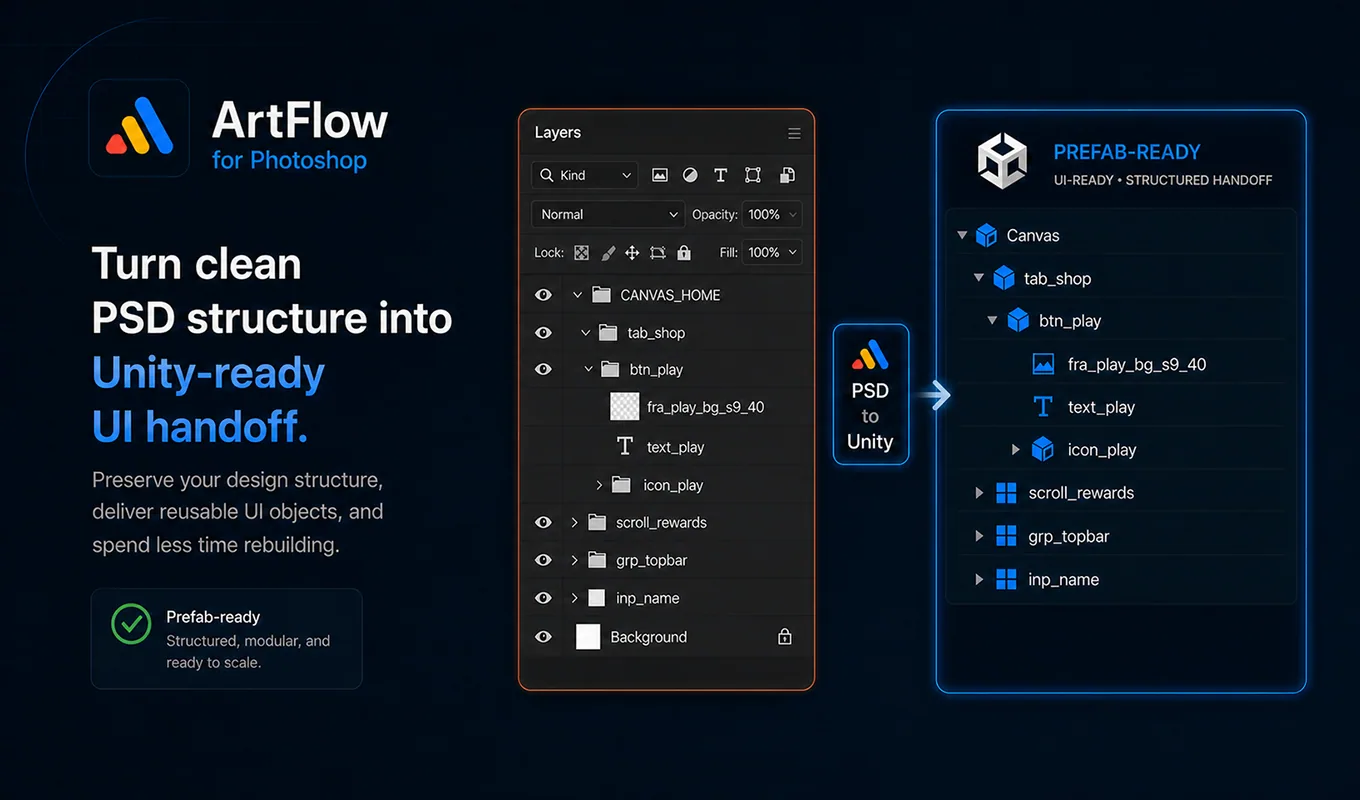
Carry design intent into Unity.

Naming semantics, hierarchy intent, 9-slice data, and layout metadata create a stronger starting point for the companion importer.

  • Importer-oriented layer conventions
  • Sprite and layout output
  • 9-slice and anchor metadata
  • Preflight warnings before export
Structured PSD hierarchy translated into Unity-ready UI handoff.

02 / Naming

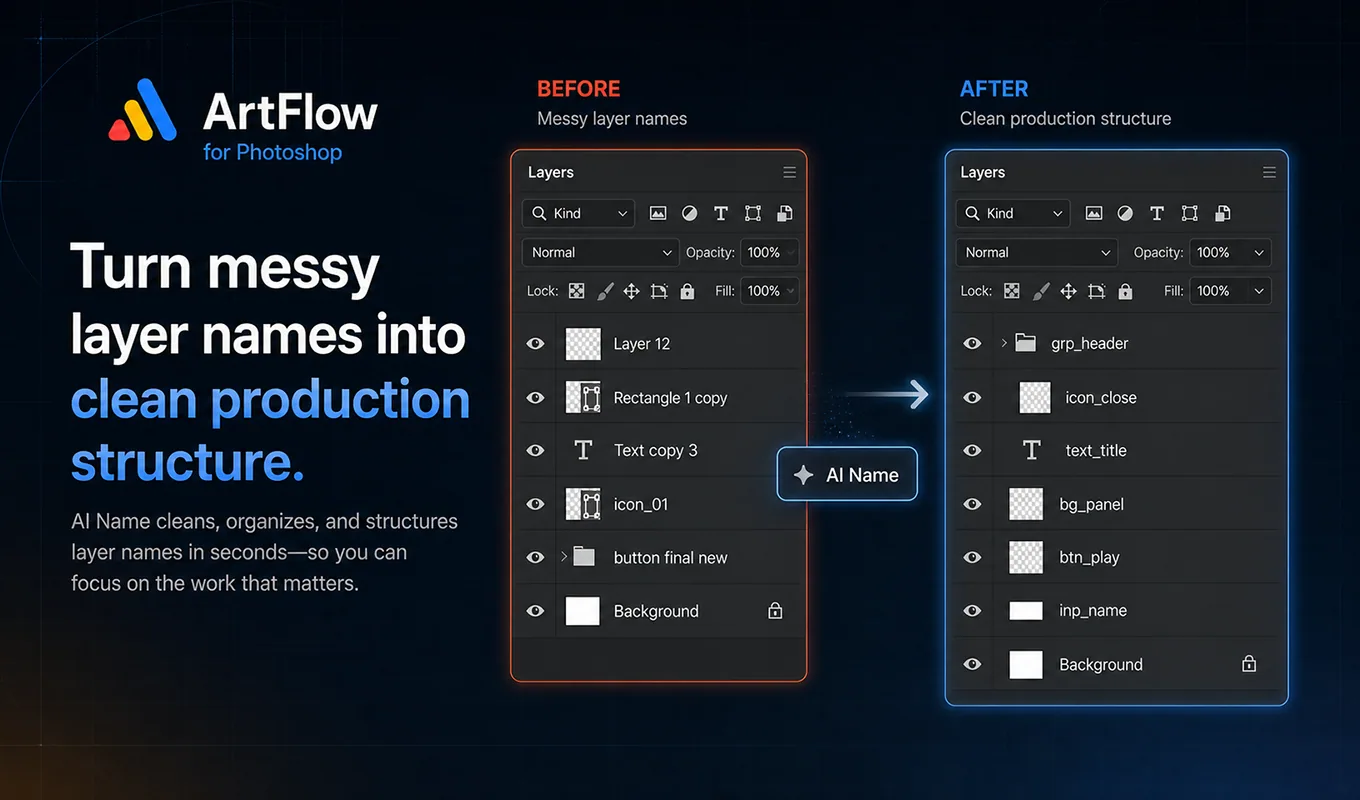
Use AI as a suggestion layer, not an authority.

ArtFlow sends a focused request to Gemini, then validates and previews suggestions before anything changes in the PSD.

  • User-supplied Gemini API key
  • Batch sizing and quota-aware stopping
  • Preview, apply, and undo
  • Manual naming remains fully available
Messy and clean Photoshop layer names before and after AI Name.

03 / Delivery

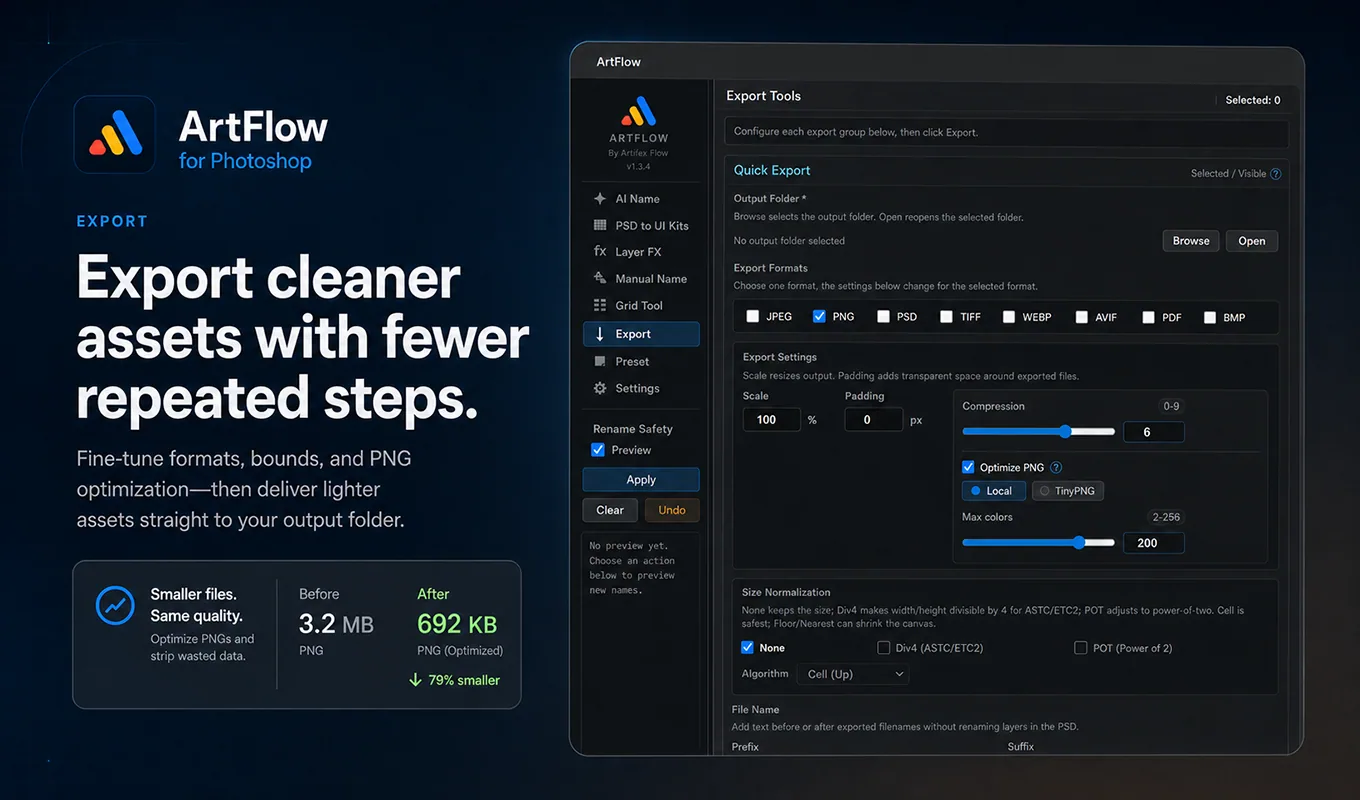
Make repeatable output decisions once.

Choose formats, bounds, scaling, padding, filename additions, and optional PNG optimization in one delivery workflow.

  • Eight production formats
  • Local or optional TinyPNG optimization
  • Grid and atlas splitting
  • Reusable presets
ArtFlow export controls and PNG optimization result.

Every module

Focused tools.
Shared safety model.

01

AI Name

Generate structured layer names with a preview-first workflow and local validation.

02

PSD to Unity

Prepare structured UI handoff data and reusable assets from the Photoshop source.

03

Grid Tool

Split atlases and regular grids while preserving the working PSD.

04

Layer FX

Inspect, copy, remove, and normalize layer effects across selected artwork.

05

Export

Batch formats, bounds, naming, scaling, and optional PNG optimization.

06

Manual Name

Precise batch rename operations for artists who want complete control.

Ready for production

Keep the creative work.
Remove the repeated work.

ArtFlow runs inside Photoshop and keeps non-AI workflows local by default.

Get ArtFlow